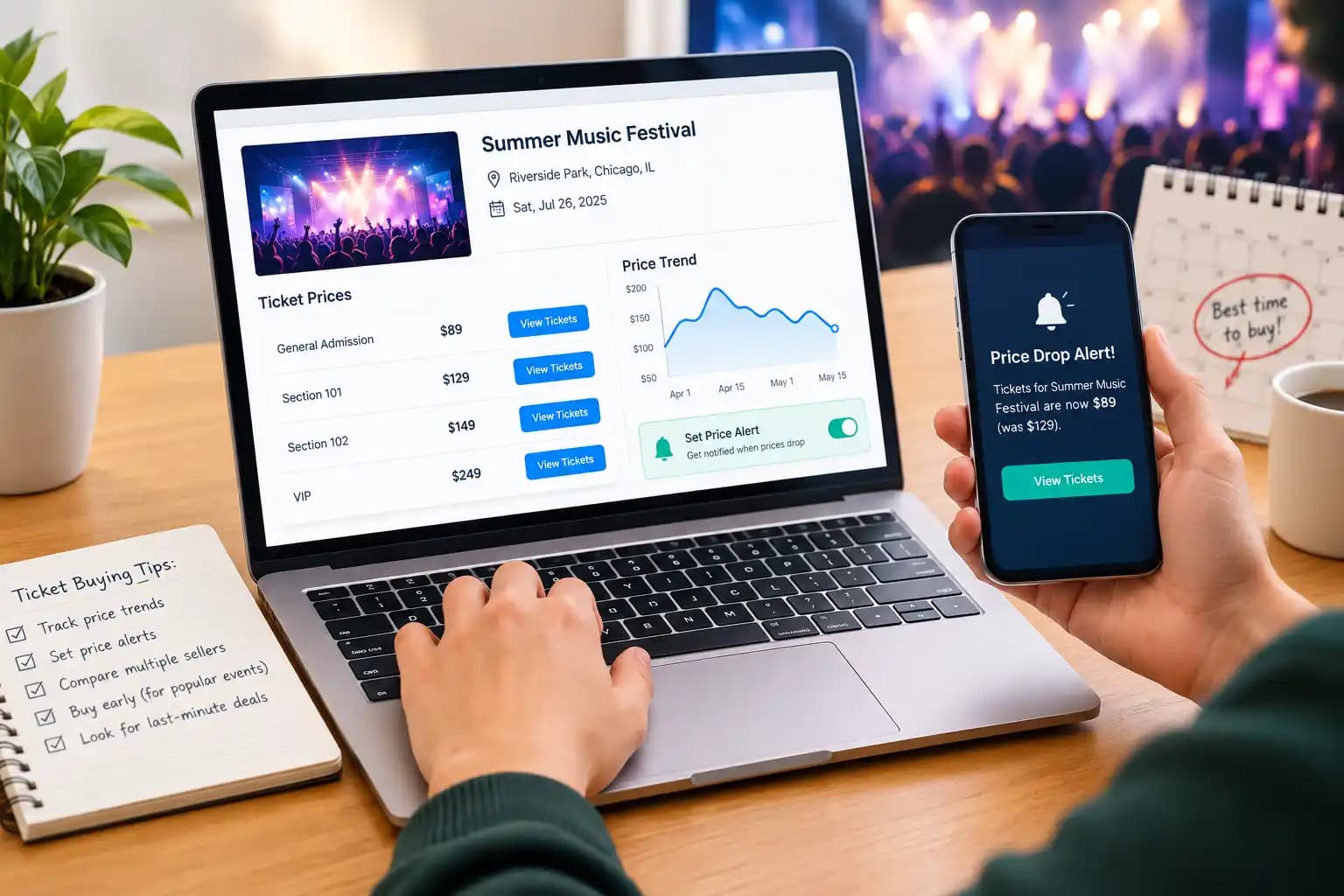
Quick answer: To track event ticket prices, pick the exact event, section and number of seats you want, then check the all-in price (including fees) across several resale sites on a schedule. Set price alerts where sites offer them, log each check, and buy when the price hits a target you set in advance or when inventory starts to thin out.
What does it mean to track event ticket prices?
Tracking event ticket prices means checking the price of the same tickets, for the same event and seating area, repeatedly over time so you can see which way the price is moving. The goal is to buy at a price you're happy with instead of guessing.
It matters because ticket prices are no longer fixed. Primary sellers can raise or lower face value with demand, and resale prices on secondary marketplaces change every time a seller lists, reprices or sells a ticket. One check tells you a price. Several checks over days or weeks tell you a trend.
You can track prices for any live event: concerts, sports, theatre, comedy, festivals and family shows such as Disney on Ice.
How to track event ticket prices: 7 steps
- Define exactly what you want. Write down the event, date, number of tickets, whether seats must be together, and two or three acceptable sections or price tiers. A loose search compares the wrong tickets and gives you a misleading trend.
- Set a maximum all-in budget. Decide the most you will pay per ticket including fees and taxes. This is your buy price, and it stops you from chasing the market up.
- Record a baseline. Check the cheapest all-in price in each of your target sections on several resale sites, or on a comparison site such as TicketWhiz that shows multiple sellers side by side. Note the date, site, section, price and how many listings are left. Our guide on how to compare ticket prices covers this check in detail.
- Turn on price alerts. Follow or favourite the event on the marketplaces you use, and add a third-party tracker if you want one alert that covers several sites. Set the alert at or slightly below your buy price.
- Check on a schedule. Weekly is enough when the event is more than a month away. Move to every few days in the final two weeks, and daily in the last 72 hours, when prices change fastest.
- Watch inventory, not just price. A falling price with plenty of listings means sellers are competing. A steady price with listings disappearing means the cheap seats are going, and waiting gets riskier.
- Buy when one of your triggers hits. Buy when the all-in price reaches your target, or when inventory in your sections drops sharply. Don't wait for a lower price you have no evidence for.
The rest of this guide explains the tools you can use for steps 3 and 4, how prices tend to move, and the mistakes that cost buyers the most.
What are the best ways to track ticket prices?
The most reliable setup combines a comparison site, for a cross-market view, with at least one price alert, so you don't have to check manually. No single method covers everything.
| Method | What it tracks | Best for | Main limitation |
|---|---|---|---|
| Ticket comparison site (e.g. TicketWhiz) | Current prices from several sellers on one page | Seeing the cheapest option across the market in one check | Shows today's prices; you still need alerts or a log for the trend |
| Marketplace alerts (favourite or follow an event) | Price and listing changes on that one marketplace | Buyers who already prefer one resale site | Only covers that site's own listings |
| Primary seller alerts | On-sale dates, presales and new inventory released | Getting face-value tickets before resale | Usually announces availability rather than matching a target price |
| Third-party price trackers | The cheapest listing per section across several resale sites, with an alert at your price | Hands-off tracking of a specific event | Coverage varies; most monitor only a handful of large resale marketplaces |
| Price-history apps | Highest and lowest prices seen, and when | Judging whether today's price is cheap or expensive | Some charge for extra alerts or full price history |
| Manual price log (spreadsheet or notes) | Whatever you record: date, site, section, all-in price, listings left | Full control and an honest trend line | Takes a few minutes per check |
A simple log is worth keeping even if you use alerts. Alerts tell you when a price crosses a line; a log shows you the direction and speed of the move.
How do event ticket prices change over time?
Ticket prices usually move in response to demand and how much inventory is left. They don't follow a fixed calendar. That's why tracking beats any single "best day to buy" rule.
- On-sale and presale: demand is highest and resale listings appear quickly, often well above face value.
- The middle weeks: prices often level off as early buyers are done and sellers wait.
- The final week: for events that haven't sold out, resellers who need to sell may cut prices. For sellouts, prices can rise as listings disappear. See why resale tickets often get cheaper closer to the event.
- The final 24–48 hours: the biggest swings in both directions. Theatre resale in particular often sees last-minute discounting as sellers try to fill seats.
A few patterns hold often enough to watch for. Weeknight shows and less popular dates tend to be cheaper than Friday and Saturday. Prices for a single section can also move differently from the event's "from" price, which is why you track sections, not the headline number. For timing advice by event type, see the best time to buy concert tickets and whether to buy NFL tickets early or last minute.
Waiting is a bet, not a guarantee. If a show is close to selling out, the risk of waiting is losing the seats entirely. A practical rule is to set a hard cutoff, for example about 36 hours before the event, after which you buy at the best available price rather than keep waiting.
What should you record each time you check?
Always record the all-in price, the price you would actually pay at checkout, not the listed price before fees. Comparing a fee-free price on one site with a pre-fee price on another is the most common reason trackers mislead buyers.
In the US this has become easier. The FTC's Rule on Unfair or Deceptive Fees took effect on May 12, 2025. It requires live-event ticket sellers to show the total price, including mandatory fees, clearly and prominently whenever they display a price. Still confirm the final total at checkout, because taxes, delivery options and optional add-ons can change it. Our guide to why concert ticket prices vary so much explains where the differences come from.
Use the same columns for every check so the numbers are comparable:
| Date checked | Site | Section or tier | Seats together? | All-in price per ticket ($) | Listings left in section | Notes |
|---|---|---|---|---|---|---|
| Example: Oct 16 | Site A | Lower bowl 112 | Yes | 185 | 14 | Price down $20 since last week |
Record the quantity you plan to buy. Many listings are cheaper per ticket only if you buy a specific number, and pairs often price differently from singles.
What mistakes should you avoid when tracking ticket prices?
- Tracking the "from" price. The cheapest ticket for the event may be a single obstructed seat. Track the sections you would actually buy.
- Comparing pre-fee and all-in prices. Always compare totals.
- Watching only one site. A drop on one marketplace may be matched or beaten elsewhere. Single-site alerts can't show you that.
- Setting alerts too loosely. "Notify me of any change" creates noise you'll start ignoring. Set a specific price and section.
- Waiting without a cutoff. Decide in advance when you'll stop waiting and buy, especially for shows likely to sell out.
- Ignoring the seller and delivery terms. A cheap listing with no buyer guarantee or a late transfer date can cost more than it saves. Buy from marketplaces that guarantee entry or a refund.